Waveshare ESP32-S3-A7670E-4G + WiFi + HX711
This configuration uses the Waveshare ESP32-S3-A7670E-4G board as the hardware base, but sends measurements over WiFi.
It lets you benefit from a more integrated board for power and field use, without using the 4G modem.
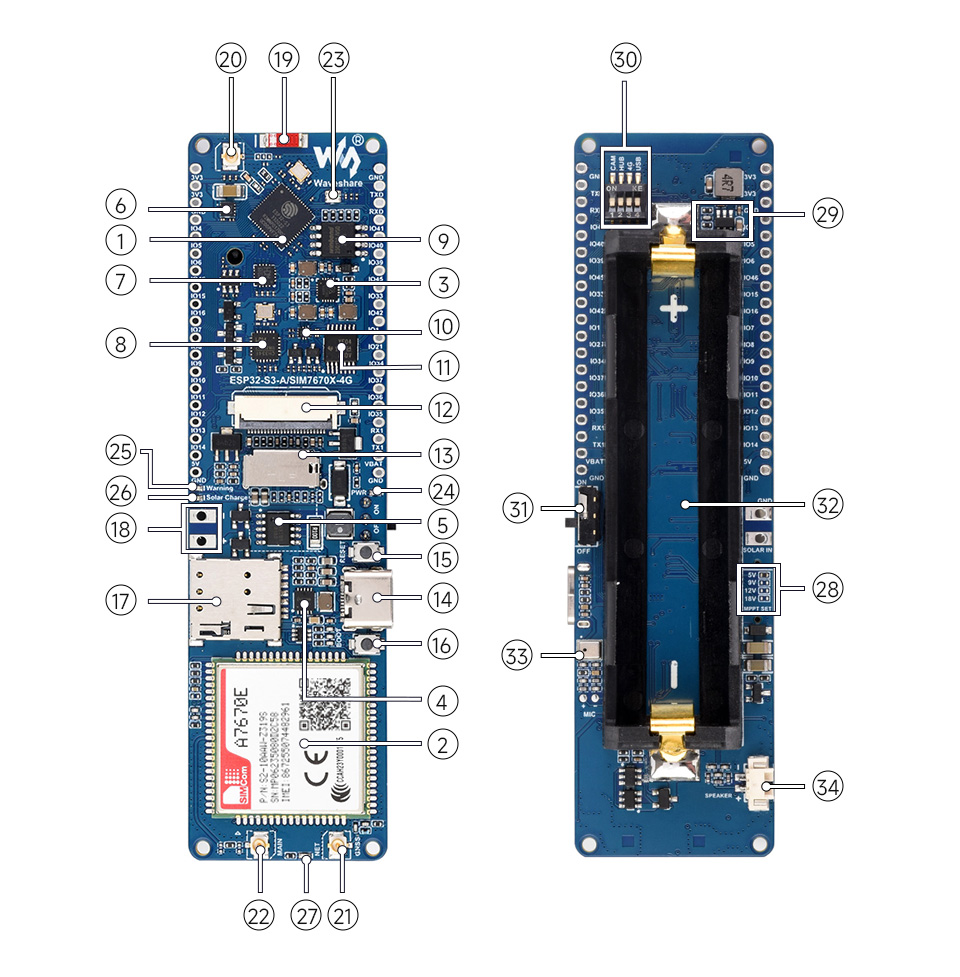
Image source: Waveshare.
Who Is It For?
Choose this configuration if the apiary has WiFi, but you want a more complete board than a bare ESP32-S3 Mini.
The Waveshare board is useful when battery and solar charging are part of the build from the beginning. The transport remains WiFi, so no SIM card is required for this configuration.
What the Board Provides
The waveshare_esp32_s3_a7670e_wifi_hx711 firmware preset expects:
- an ESP32-S3 with WiFi;
- a board designed with battery and solar charging in mind;
- a WS2812 RGB LED on
GPIO38; - the
BOOTbutton as the configuration button; - a MAX17048 battery sensor when detected;
- the A7670E modem present on the board, but not used by this WiFi firmware.
What You Need to Add
- a weighing module for the expected weight range, made of a load cell and an HX711;
- antenna, power, battery, and solar panel according to your board recommendations;
- enclosure and stable mechanical build.
Wiring
The Waveshare firmware uses dedicated HX711 pins:
| HX711 signal | Waveshare pin |
|---|---|
DT / DOUT | GPIO39 |
SCK / CLK | GPIO40 |
See the shared reference: HX711 wiring.
Firmware
Build and upload the PlatformIO environment:
pio run -e waveshare_esp32_s3_a7670e_wifi_hx711 -t uploadThis configuration uses:
- the
Hx711Sensorsensor; - the
Max17048BatterySensorbattery sensor, if available on the board; - the
WifiHttpTransporttransport; - the
waveshare_esp32_s3_a7670e_wifi_hx711hardware profile.
Runtime Configuration
After flashing, provision the board with the WiFi portal or with bee-config over the serial port:
- WiFi SSID and password;
- Bee Thing ingestion URL;
- scale token;
- HX711 calibration;
- sleep interval.
To open the WiFi portal, put the board in configuration mode, hold BOOT for about 2 seconds, connect to the BeeThing-Config network, then open http://192.168.4.1/.
See: Firmware configuration, Calibration, and Diagnostics.
Known Limits
The 4G modem is not used in this configuration. If you do not have WiFi at the apiary, use Waveshare + 4G + HX711 instead.