Getting Started
When you sign up, Bee Thing already prepares a default organization and apiary. You can rename them later, but you do not need to build the full hierarchy before getting started.
To receive your first measurements, the main steps are adding colonies, adding scales, and telling Bee Thing which scale measures which colony.
Start
- Review the default apiary or add another one if you already have several sites.
- Add your colonies.
- Add your scales.
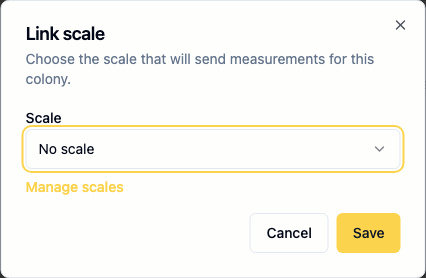
- Link each scale to the colony it measures.
- Send the first measurements from your hardware.
Why Link a Scale to a Colony?
The colony is the biological object you track over time. The scale is the hardware sending measurements.
Keeping them separate lets you change or replace a scale without losing the continuity of the colony history. The link simply tells Bee Thing which colony should receive measurements from a scale at a given moment.
In the app, linking is done from a colony page. Choose the scale to associate, then save.